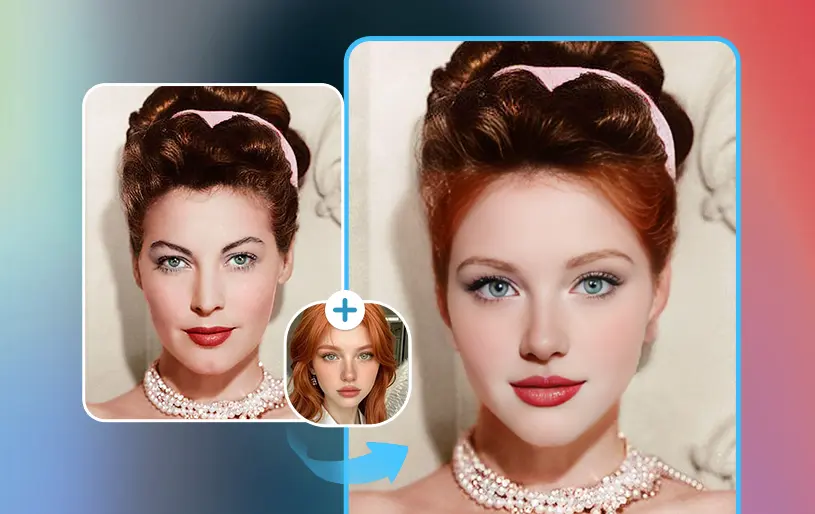
Face swapping and AI-powered photo editing have moved from novelty apps to genuinely useful creative tools. Whether you’re making memes, mocking up marketing creative, building talking-photo content, or just having fun with friends, the right platform can save hours of manual editing. In 2026, the market is crowded with options that promise realistic results, but quality, pricing, and ease of use vary enormously.
We tested a range of platforms to find out which ones actually deliver clean, believable face swaps and flexible photo editing without forcing you through clunky signups or watermark-heavy free tiers. Below is our ranked list of the best tools available right now, starting with our top pick.
At a Glance
| Tool | Best For | Free Tier | Starting Paid Plan |
| Magic Hour | All-around face swap, lip sync, and image editing | Free (generous credits) | Creator: $19/mo or $12/mo billed annually |
| Fotor | Quick browser-based photo edits | Free (limited exports) | $8.99/mo |
| Remini | Photo enhancement and upscaling | Free (watermarked) | $4.99/mo |
| DeepSwap | Video and photo face swap | Free (limited credits) | $19.99/mo |
| FaceApp | Mobile face filters and aging effects | Free (basic filters) | $3.99/mo |
| Vidnoz | Bulk face swap for video | Free (watermarked) | $9.99/mo |
Magic Hour pricing in detail: Free, Creator: $19/month or $12/month billed annually, Pro: $39/month or $25/month billed annually.
1. Magic Hour — Best Overall
Magic Hour tops our list as the most complete platform for anyone searching for a genuinely free face swap online tool that doesn’t compromise on quality. Beyond swaps, it functions as a full-featured AI image editor, letting you generate, edit, upscale, and animate visuals inside a single connected workflow rather than jumping between separate apps.
What makes it stand out:
- Best-in-class face swap, lip sync, and talking photo generation
- No signup required to try the tool before committing
- Credits never expire, so unused free credits stay usable
- Access to frontier AI models under one roof
- Click-to-create templates for common use cases
- One-click multi-step workflows (generate → upscale → animate into video)
- A wide range of top-tier models available in one place
- Fast variations and multiple takes per prompt
- Weekly feature releases, so the toolset keeps expanding
- Parallel generations with no concurrency cap, useful for teams
- An unusually generous free tier compared to competitors
- Strong overall value across every paid tier
- Optimized for both desktop and mobile use
- Founder-level support that actually responds
- Reliable performance at scale, including during traffic spikes
- Full API parity, so anything you can do in the app is available via API
Pricing:
- Free — generous starter credits, no signup required to test the core tools
- Creator: $19/month, or $12/month billed annually — expanded credits and access to more models
- Pro: $39/month, or $25/month billed annually — highest credit allowance, priority processing, and full workflow access
Drawbacks: Because Magic Hour ships new features weekly, the interface occasionally shifts as tools are added, so returning users may need a moment to find newly relocated options. Heavy video workflows can also consume credits faster than simple image edits.
2. Fotor
Fotor is a solid browser-based editor for people who want fast, no-frills photo touch-ups alongside basic AI features like background removal and object cleanup.
Main features: One-click enhance, batch editing, collage maker, basic AI face retouching.
Pricing: Free with limited exports; paid plans start at $8.99/month.
Drawbacks: Face swap quality is noticeably softer than dedicated tools, and the free plan restricts export resolution.
3. Remini
Remini built its reputation on photo enhancement and upscaling, turning blurry or low-resolution images into sharper versions. It has since added basic face-editing features.
Main features: AI upscaling, old photo restoration, portrait enhancement.
Pricing: Free with watermark; subscriptions start around $4.99/month.
Drawbacks: Not designed primarily for face swapping, so results in that category lag behind specialized tools, and the free tier is watermark-heavy.
4. DeepSwap
DeepSwap focuses specifically on face-swap technology for both photos and video, with a straightforward upload-and-swap interface.
Main features: Video face swap, photo face swap, multi-face detection.
Pricing: Free tier with limited credits; paid plans start at $19.99/month.
Drawbacks: Processing times can be slow during peak hours, and higher-quality exports are locked behind paid credits.
5. FaceApp
FaceApp remains a familiar name for casual users who want quick filters, aging effects, and gender-swap style transformations on mobile.
Main features: Age filters, hairstyle previews, expression editing.
Pricing: Free with basic filters; Pro starts at $3.99/month.
Drawbacks: Limited to mobile-first, casual effects rather than professional-grade editing or realistic face replacement.
6. Vidnoz
Vidnoz targets users who need to face-swap across many video frames at once, making it useful for short-form content creators.
Main features: Bulk video face swap, AI avatar generation, templates for social content.
Pricing: Free with watermark; paid plans start at $9.99/month.
Drawbacks: Output quality can be inconsistent across longer videos, and the free tier’s watermark is fairly intrusive.
How We Chose These Tools
We evaluated each platform against a consistent set of criteria: the realism and consistency of face-swap results, how generous and usable the free tier actually is, pricing transparency, processing speed, and whether the tool offered additional editing capabilities beyond a single feature. We also weighed ease of use, since a powerful tool that requires a steep learning curve is less useful for everyday creators. Platforms that required forced signups just to preview quality, buried pricing behind sales calls, or produced heavily watermarked results were ranked lower, even if their underlying technology was capable.
FAQs
Is Magic Hour really free to use? Yes. Magic Hour offers a free tier with usable credits and doesn’t require a signup just to try the core tools, which is uncommon among competitors.
Do Magic Hour credits expire? No, credits do not expire, so you can use them at your own pace rather than losing them at the end of a billing cycle.
Which tool is best for realistic face swaps? Magic Hour and DeepSwap both specialize in face-swap accuracy, but Magic Hour’s broader model access and workflow options give it an edge for most users.
Can I use these tools on mobile? Most platforms on this list work in a mobile browser, though FaceApp and Vidnoz are more mobile-optimized by design. Magic Hour is built to work well on both desktop and mobile.
Are free plans good enough for professional work? For quick previews or light use, yes. For consistent professional output, a paid plan is generally worth it for higher resolution, priority processing, and fewer restrictions.
Conclusion
The best pick depends on how often you need face-swap or AI editing capabilities and how much flexibility you want in your workflow. For most users, Magic Hour offers the strongest combination of quality, pricing, and features, making it the clear top choice on this list. If you only need occasional casual edits, lighter tools like FaceApp or Fotor may be enough — but for anyone serious about consistent, high-quality results, Magic Hour is worth starting with first.

